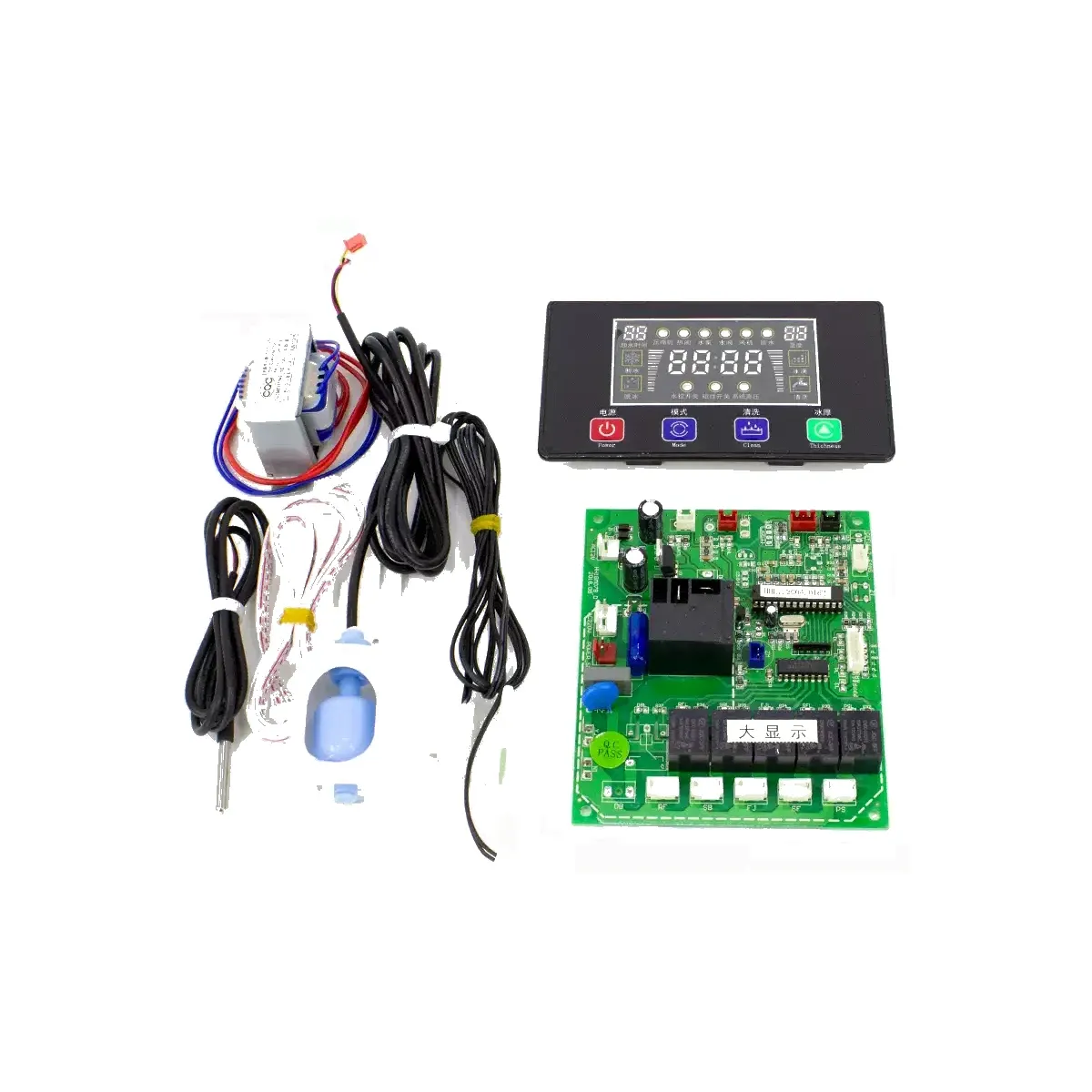
Ice Maker Control Board Four-Button Flow-Type Universal Main Control Board Large LCD Display Full Set Transformer Sensor Wiring Compatible with Inutech, Naixue, Xiazhixue, Xuelu, Jiujing Ice Makers Repair Replacement
Brief Description
Four-button flow-type ice maker universal control board, large LCD display, full set of transformer and sensor accessories, compatible with Inutech, Naixue, Xiazhixue, Xuelu, Jiujing and other models, with fault self-diagnosis.
Quantity
Product Overview
This is a four-button universal control board set for flow-type commercial ice makers, featuring a large LCD display and compatible with all flow-type models. The main board has five relay outputs (compressor, water pump, fan, water inlet valve, hot gas valve), supports cleaning mode, forced ice drop, ice thickness adjustment, and comes with E01-E07 fault code self-diagnosis for easy repair and replacement.
Package Contents
| Component | Specification |
|---|---|
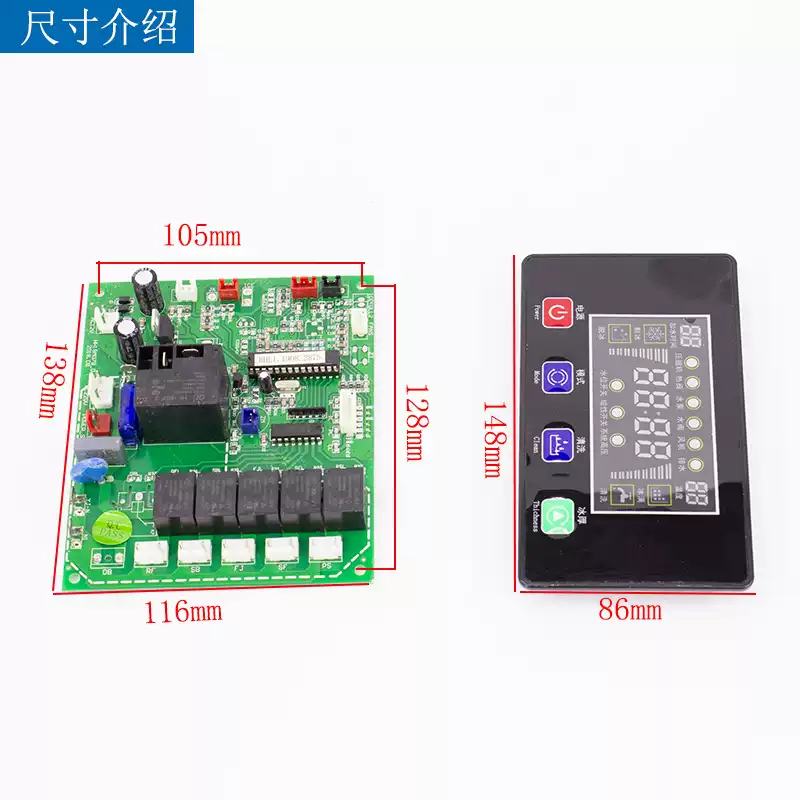
| Main control board | Approx. 105×138mm, five relays |
| Large display | Approx. 86×148mm, four buttons (Power/Mode/Clean/Thickness) |
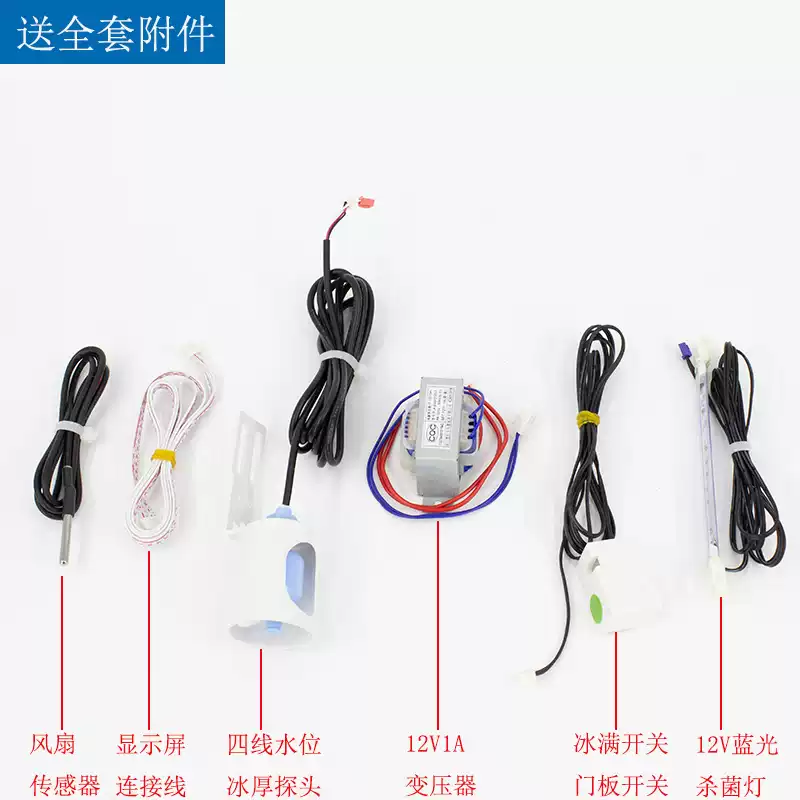
| Transformer | 12V 1A (AC220V input) |
| Sensors | Four-wire water level & ice thickness probe, fan sensor |
| Switches | Ice full switch, door panel switch |
| Others | Display connection cable, 12V blue light sterilizing lamp |
Button Functions
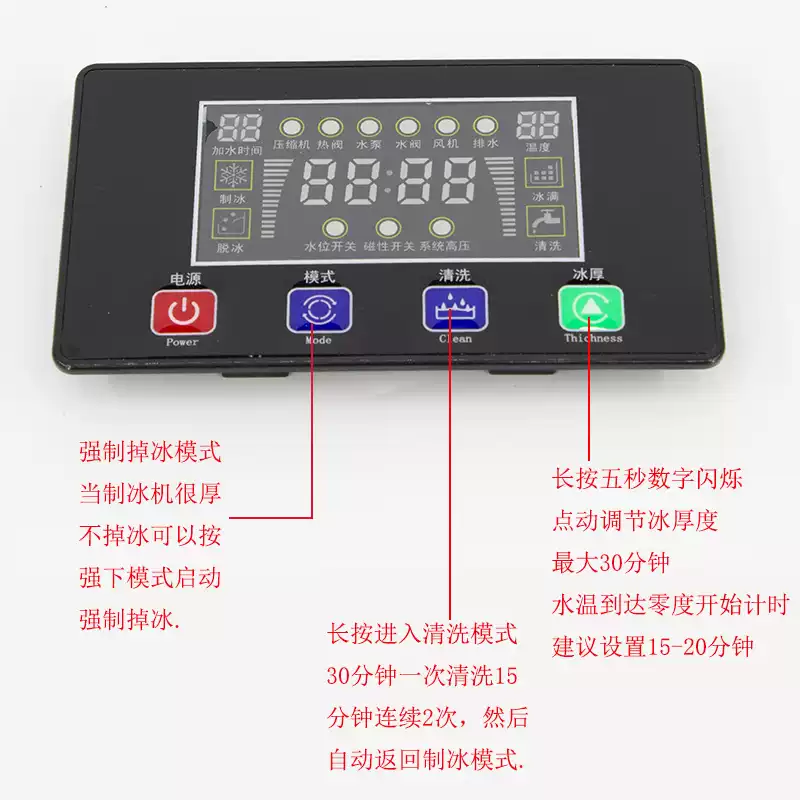
Power: Turn on/off. Mode: Forced ice drop — when ice is too thick and won't drop, press this button to start forced ice release. Clean: Long press to enter cleaning mode, once every 30 minutes, 15 minutes per clean, automatically returns to ice-making mode after 2 consecutive cycles. Thickness: Long press for five seconds until the number flashes, then tap to adjust ice thickness (ice-making timer max 30 minutes, timing starts when water temperature reaches zero degrees), recommended setting 15-20 minutes.
Interface Definitions
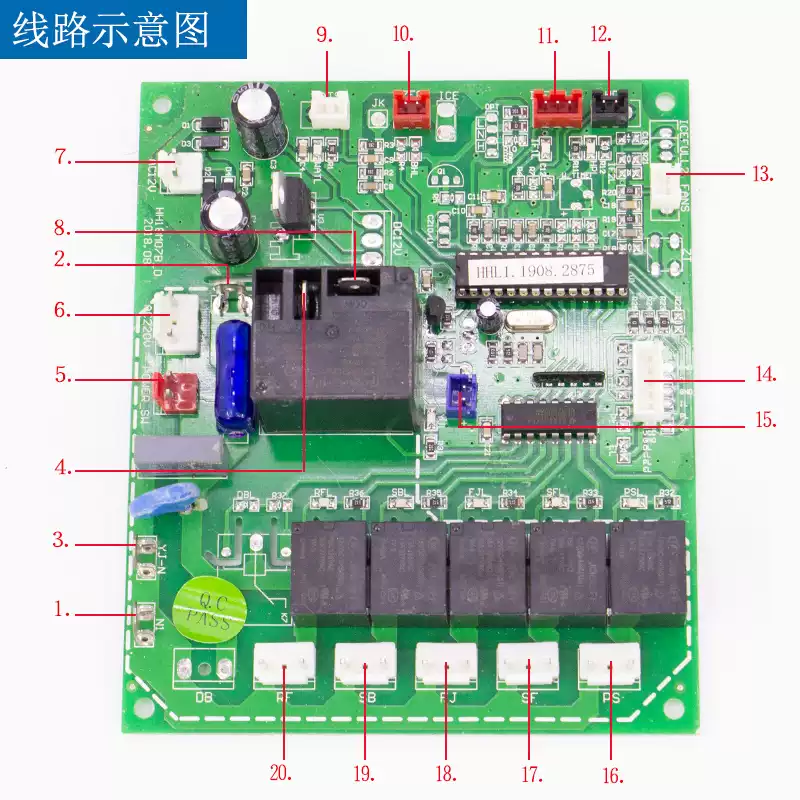
| No. | Definition | No. | Definition |
|---|---|---|---|
| 1 | N1 Neutral wire | 2 | L1 Live wire |
| 3 | YJ-N Compressor neutral | 4 | NO Compressor live |
| 5 | POWER-SW Power switch | 6 | AC220V Transformer input |
| 7 | AC12V Transformer output | 8 | COM Live wire |
| 9 | WATS Water level float | 10 | ZFQ Ice thickness control |
| 11 | ICEFULL1 Ice full switch | 12 | HPS High pressure switch |
| 13 | FANS Fan sensor | 14 | SZ3 Display interface |
| 15 | ZM 12V Sterilizing lamp | 16 | PS Drain valve |
| 17 | SF Water inlet valve | 18 | FJ Fan |
| 20 | RF Hot gas valve |
Wiring tips: 2 and 8 are electrically connected, connect the live wire to either socket; for No. 13 socket with water-cooled machines, do not plug in the fan sensor; No. 16 drain valve — plug in if present, leave empty if not; No. 18 fan socket — leave empty for water-cooled machines.
Fault Code Reference
| Code | Meaning | Code | Meaning |
|---|---|---|---|
| E01 | Fan sensor fault | E02 | Thickness temperature sensor fault |
| E03 | Ice-making timeout | E04 | Water shortage fault |
| E05 | High temperature protection | E06 | High pressure protection |
| E07 | Ice full fault |
FAQ
Q: What does E04 mean?
A: E04 is a water shortage fault. First check if there is water in the tank, whether the water level float is stuck or damaged, then confirm the WATS water level interface is properly connected; after refilling water or replacing the float, power on again to restore.
Q: Which ice makers is it compatible with?
A: Universal for all flow-type ice makers, commonly compatible with Inutech, Naixue, Xiazhixue, Xuelu, Jiujing and other models; before installation, verify the main board is approx. 105×138mm and the display is approx. 86×148mm.
Q: What to do when ice is too thick and won't drop?
A: Press the "Mode" button on the panel to start forced ice drop; if it happens frequently, long press the "Thickness" button to set the timer to 15-20 minutes, and check whether the ice thickness probe has scale buildup or has shifted.